
Removing headers from backend response
- English
- 日本語
You can remove headers from any backend response. This may be necessary if your application automatically sets headers. For example, Drupal can set the following Expires and Cache-Control headers to prevent caching:
Expires: Sun, 19 Nov 1978 05:00:00 GMTLast-Modified: Wed, 18 Jul 2012 18:52:16 +0000Cache-Control: no-cache, must-revalidate, post-check=0, pre-check=0To remove a header from the backend response, add a new header as follows:
- Log in to the Fastly control panel.
- From the Home page, select the appropriate service. You can use the search box to search by ID, name, or domain.
- Click Edit configuration and then select the option to clone the active version.
- Click Content.
Click Create header.
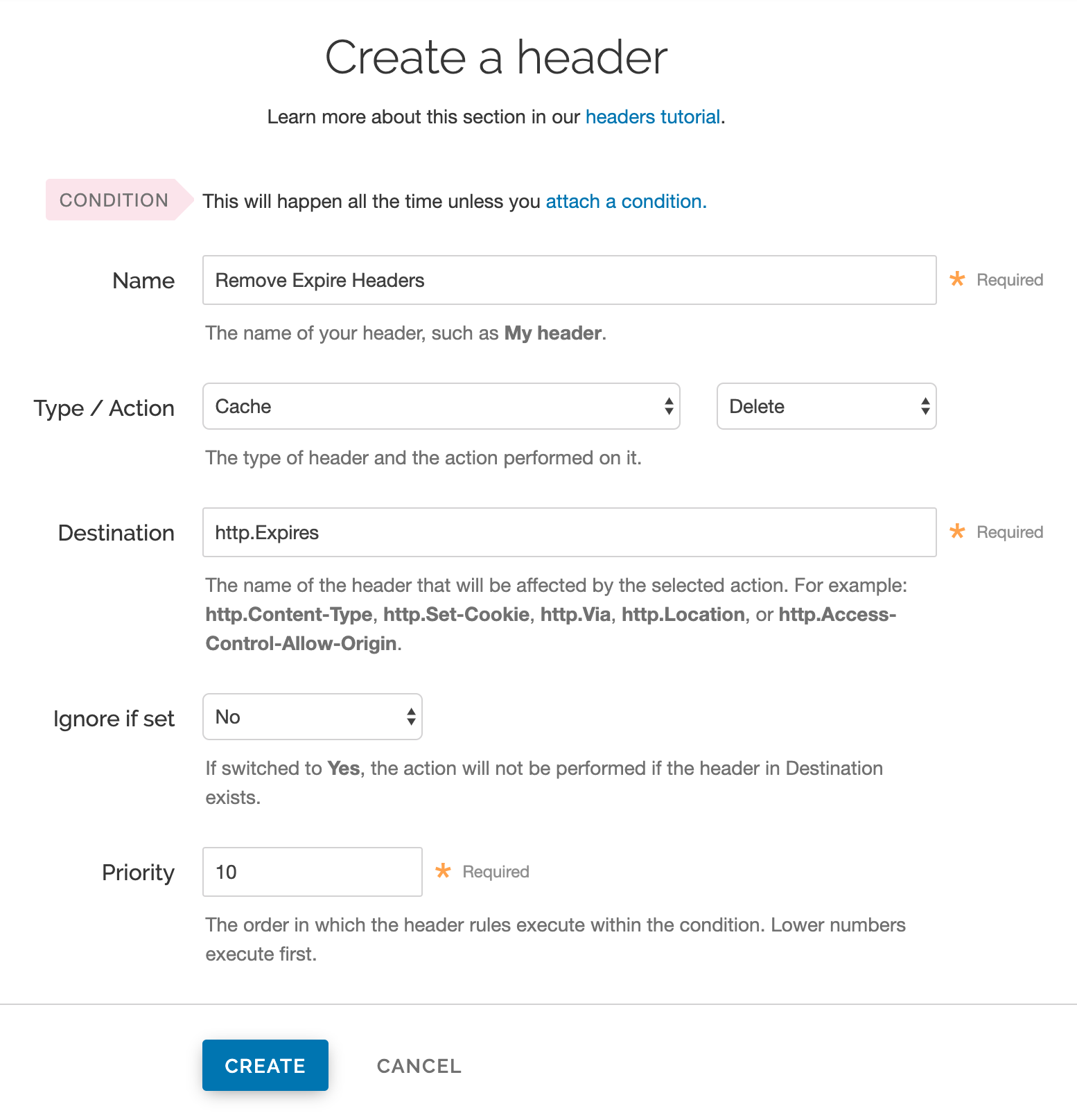
Fill out the Create a header fields as follows:
- In the Name field, enter a descriptive name for the header rule (e.g.,
Remove Expire Headers). - From the Type menu, select Cache, and from the Action menu, select Delete
- In the Destination field, enter the name of the header (e.g.,
http.Expires). - From the Ignore if set menu, select No.
- In the Priority field, enter
10.
- In the Name field, enter a descriptive name for the header rule (e.g.,
Click Create.
- From the Activate menu, select Activate on Production to deploy your configuration changes.
HINT: You may also be interested in our information on setting content type based on file extension.
