
Monitoring account activity with the audit log
- English
- 日本語
The audit log keeps track of events related to your Fastly account, users, and services. You can use the audit log to determine which changes were made and by whom. For example, you can use the audit log to review:
- service configuration changes and who made them (e.g., a user assigned to your account, a Fastly user acting on your behalf)
- authentication and access events (e.g., logins, API token creation, identity provider updates)
- account security settings changes
- product and feature purchases
You must be assigned the role of superuser to view the audit log.
HINT: For information on monitoring events related to a service, check out our guide on the event log. For information on monitoring the data that passes through Fastly, check out our guide on Fastly's real-time log streaming features.
Accessing the audit log
You can access the audit log using the Fastly control panel or the Fastly API.
- Control panel
- API
Follow these instructions to access the audit log for your account:
- Log in to the Fastly control panel.
Go to Account > Audit log.
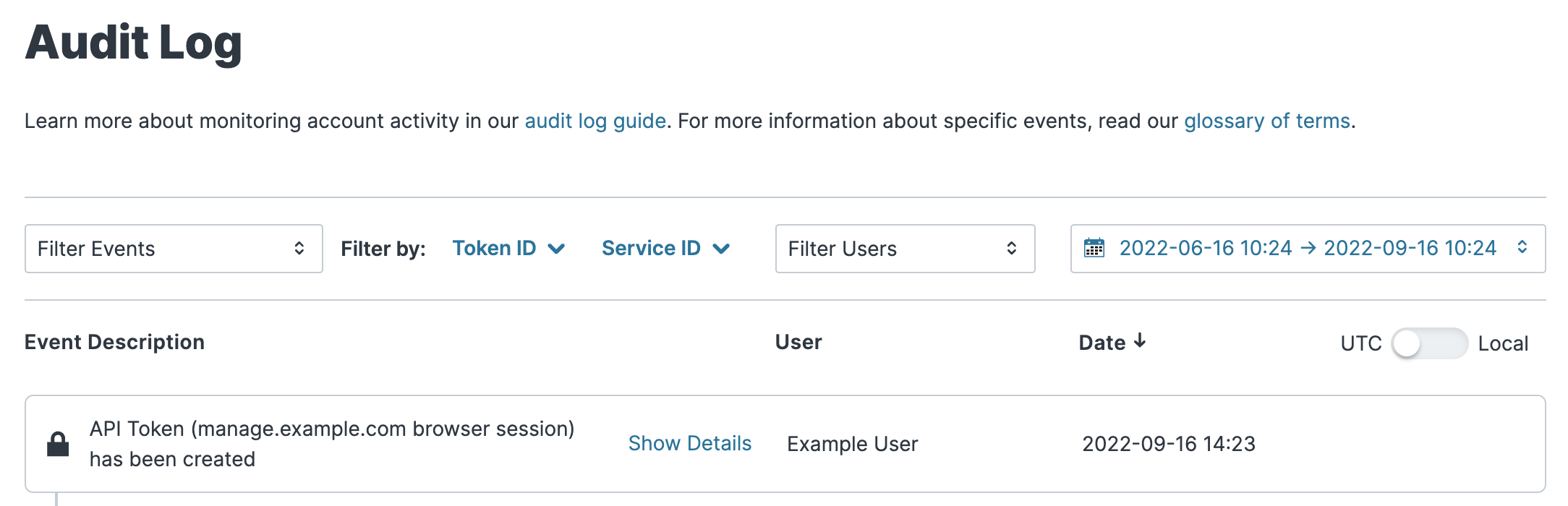
HINT: You can filter audit log events by various criteria, such as event type and date.
NOTE: As of June 22, 2021, audit log data is retained for a period of one year (365 days).
